
What Building a SharePoint Site Taught Me About Digital Transformation in Schools
Like many things in schools, this started with a problem rather than a plan.
At the time I was Head of Mathematics at Rendcomb College, with a growing interest in how digital systems could better support how schools work. Like many schools, we had accumulated a collection of systems that had evolved rather than been designed. Firefly had once been the centralised system for file sharing and resources but had largely fallen out of use around 2020. Staff relied heavily on an internal shared drive known simply as the “T drive”. It worked, but only if you were physically in school. If you needed a file at home, the solution was usually to email it to yourself.
With the COVID-19 pandemic, we were forced into using Microsoft Teams, which the school adopted successfully. The use of Teams solved some problems but created others. Files existed in multiple places, policies were difficult to locate, and there was no consistent structure for how information should live across the organisation. Everyone had developed their own workaround.
As these challenges grew increasingly obvious, an IT Steering Committee meeting highlighted that our shared drive was approaching obsolescence and could not support staff working from home. I offered to take responsibility for finding a practical alternative and moving the idea forward. When the school agreed to work with Cloud Design Box to build a SharePoint environment with MIS integration, I retained ownership of the project alongside my teaching role.
I had no formal digital leadership title. I was simply a teacher trying to solve a real problem.
Building something schools would actually use
Cloud Design Box developed the technical foundations, including MIS integration and data connections. My role quickly became everything else.
I managed user permissions. I designed the site architecture, navigation, and page structure. I built staff workflows and created departmental spaces. I worked out how policies, teaching resources, and operational information could live together in a way that made sense to busy teachers and support staff.
The MIS integration shaped some of the structure, particularly classes and departments, as Microsoft Teams and SharePoint were linked directly to timetable data. Beyond that, the design decisions were educational rather than technical.
My goal was simple. I wanted the platform to feel like a website, not a filing cabinet.
Instead of expecting staff to navigate folders, the site centred around how people actually worked. A staffroom hub provided quick access to policies, common forms, and key systems. Teaching and Learning pages supported pedagogy and resources. Deputy Head areas organised operational information. Every department, including the Junior School, had its own dedicated space.
Navigation mattered more than features. If people could not find something in seconds, they would stop using it.
Six months of learning by doing
The build ran from November 2023 to May 2024 and easily absorbed more than 100 hours of work, probably closer to 150.
I worked with a trainer (Joe from CDB) and quickly realised that SharePoint is less about technology and more about structure and permissions. As a super user, I could see everything, which made it surprisingly difficult to understand what normal users experienced. I had to deliberately step into other roles to test whether the system worked in reality as it did in theory.
Permissions were the hardest part to master – I had to think carefully about who I wanted to give ownership to and who needed to just have access. Small decisions had large consequences. A page built incorrectly often had to be rebuilt entirely. Naming conventions turned out to matter more than expected. Looking back, creating departmental templates early on would have saved time, as I rebuilt similar structures repeatedly.
Despite the challenges, I genuinely enjoyed the process. There is something satisfying about watching a coherent system emerge from what initially feels like chaos.
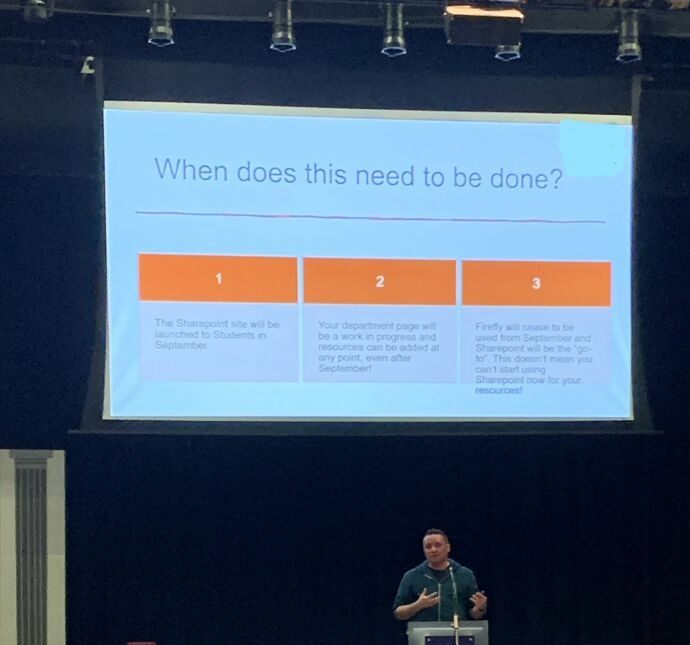
The plan was to launch to staff first and then to pupils later in the year. Circumstances meant I stepped away after the staff launch, but not before delivering an INSET day to introduce the platform. The morning focused on why the change mattered. The afternoon consisted of workshops where departments began personalising their own spaces using guided tasks.
That moment was important. The system stopped being mine and started becoming theirs.
Small changes that made a real difference
The impact was not dramatic in headline terms, but it was meaningful in daily practice.
Staff could finally access files from home without emailing documents to themselves. Departments could collaborate on shared resources more easily. Information became easier to locate. Workflows became slightly smoother.
Sometimes success in school technology looks like removing friction rather than adding innovation.
Even after I stepped away from managing the platform, colleagues continued to ask for support. That, more than anything, suggested the system had become part of everyday working life.
What the project really taught me
The biggest lesson was not technical.
Schools do not struggle with technology because tools are unavailable. They struggle because systems are rarely designed around human behaviour. Adoption depends on clarity, trust, and usability far more than features.
Through the process I learned about information architecture, governance, permissions, and digital design. More importantly, I learned how difficult real implementation is inside the constraints of a busy school.
Technology adoption is not installing software. It is changing how people work.
Why this experience matters for what comes next
As I began developing a new inclusion-focused data and decision-making project, I realised how fundamentally this earlier experience had shaped how I approached the work. I have a clear sense of the problems I want the system to help schools solve, but I am equally aware of the time required to build something that genuinely works in practice.
Any successful system depends on people as much as technology. Senior leaders need to share the vision and, in some cases, guide and refine it. Staff need time, training and confidence to use it well. Without that shared ownership, even well-designed platforms risk becoming another system that feels like an additional burden rather than meaningful support. That challenge is what makes the work genuinely exciting.
The SharePoint elements of this new project felt far more intuitive because I had already spent months understanding how structure, permissions and navigation shape behaviour. Without that earlier experience, I would not have known where to begin.
What started as an attempt to fix a file storage problem ultimately changed how I think about data, systems and decision making in schools. It reinforced something I now see clearly in my work with schools.
AI and digital tools only create value when they sit inside well-designed systems. Without thoughtful structure and governance, even the most powerful technology becomes another unused platform.
A teacher’s perspective on digital change
I did not build the system as an IT specialist. I built it as a teacher trying to solve real problems faced by colleagues every day.
That perspective has shaped how I now approach AI and digital transformation through RAISE Consulting. Schools do not need more tools. They need systems that respect workload, support consistency, and make better decisions easier.
Sometimes the most valuable professional development comes from saying yes to a problem and discovering far more than you expected along the way.